

5-Card Friday
A Bi-Weekly Update from the ITS UX Team

How to Get Non-Designers to Use and Support the Design System?
Getting stakeholder and organizational support is crucial for ongoing investment and the future success of your design system. The DS team must prove that employees use the design system and that it delivers a positive return on investment.
Flip the card over to learn more.
How to Get Non-Designers to Use and Support the Design System?
Design systems require time and resources to maintain and scale. Demonstrating the design system’s value means team members must adopt it. Getting people to contribute to the design system gives them ownership, resulting in wider use, thus building your case for more resources and support.
Read Full Article

How To Measure Success as a Designer?
As designers, many of us find it challenging to understand the worth of our designs, how valuable they are, and how to measure their success regarding business goals. In this article, I will shed more insight into the Key Performance Index (KPI’s) you can use to measure your success as a designer and how to go about setting them.
Flip the card over to learn more.
How To Measure Success as a Designer?
Measuring the success of your design involves putting into consideration the level of your stakeholder’s satisfaction as well as the time taken to design and implement their product without any additional costs and time overruns.
And remember, there is no such thing as a foolish question. To get robust feedback from stakeholders, ask as many questions as possible on your project delivery. To enhance your chances of getting future project deals with stakeholders, the following questions might be great conversation starters:
- How would you rate my performance on this project?
- Was I able to manage delivery within your expected turnaround time?
- Did you deliver a quality job within your budget?
Read Full Article
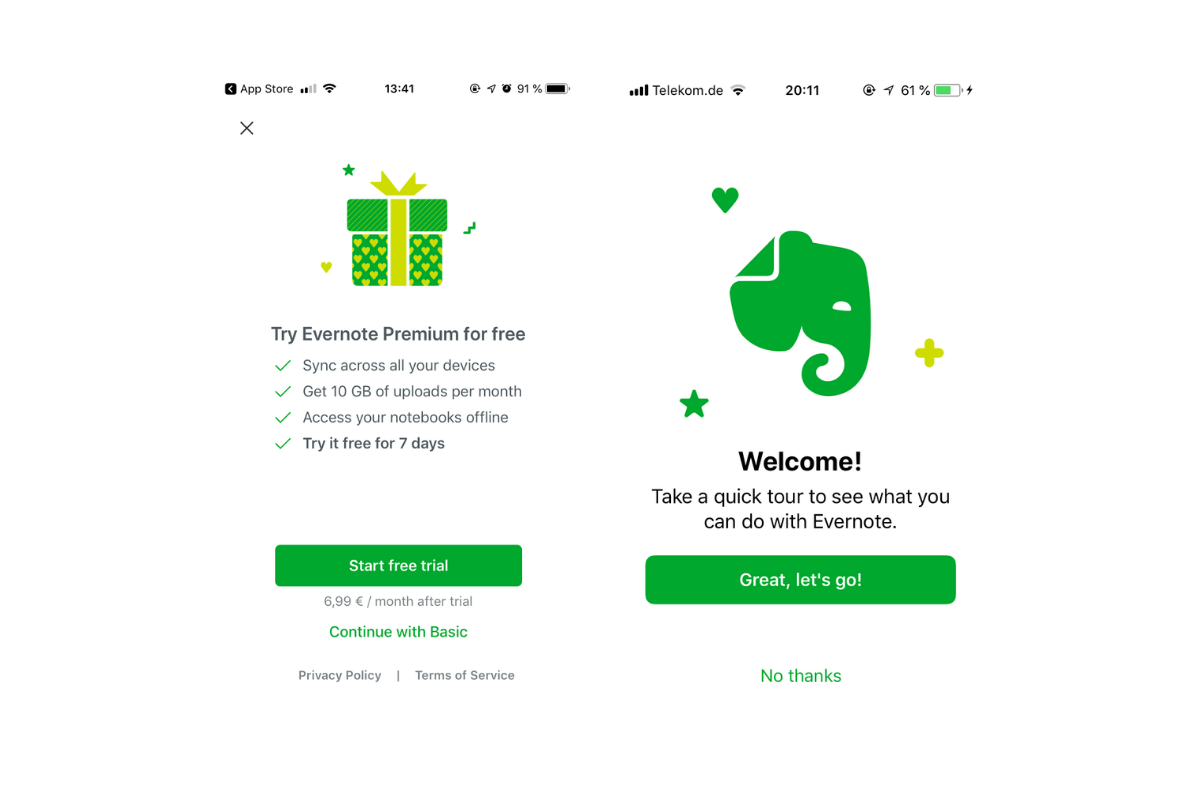
How Evernote designs its fantastic Onboarding Flow
Evernote uses a combination of three types of onboarding: benefit-oriented onboarding, function oriented onboarding and progressive onboarding.
Flip the card over to learn more.
How Evernote designs its fantastic Onboarding Flow
Even if the Evernote onboarding flow is quite long, it is well structured and informative.
Evernote focuses on two types of users.
- The ones who want to have a detailed user onboarding flow, who want to know which benefits they get and which functions they can use.
- And the users who want to start directly without reading every slide of the onboarding flow.
Evernote has not just managed to design a user-centric onboarding, it managed to ask users for permission in the right way, too.
Read Full Article
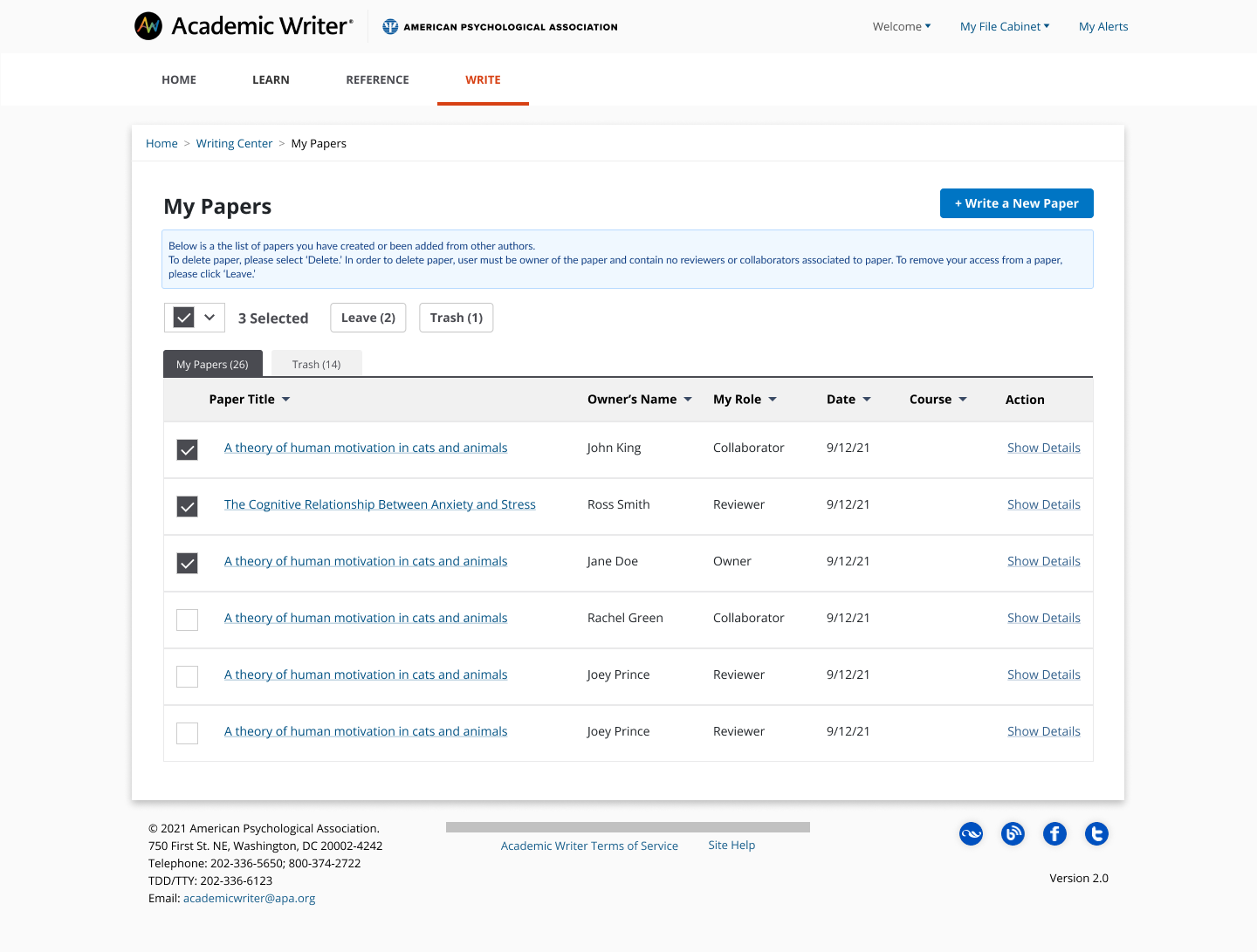
Academic Writer Trash Feature
A new feature from Academic Writer is introducing a trash section where users can select papers to soft delete. The papers will move to the trash folder and will be held in the folder for 30 days before the paper is deleted from user's list.
Flip the card over to learn more.
Academic Writer Trash Feature
For paper to move to trash, the paper must be owned by user and contain no collaborators or reviewers. In My Papers, a paper has to be selected before the 'Trash' button can appear. The button will move paper over to the Trash tab. Papers in the trash folder can also be moved back to My Papers by using the 'Restore' button. This feature was created to help users remove large quantities of papers and create a way for users to restore papers if there was an error.
View Figma Prototype
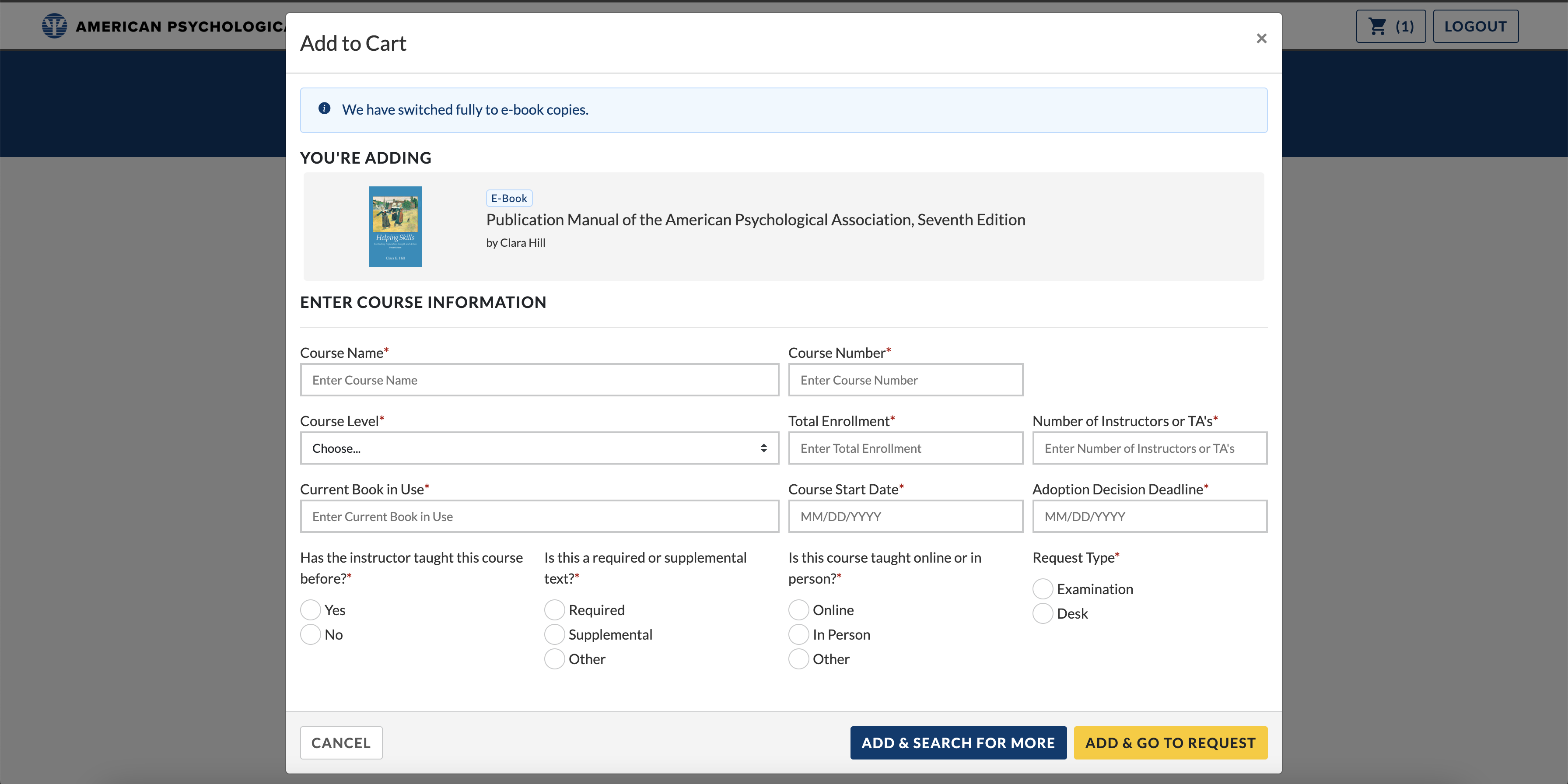
CAS E-book Integration
The Course Adoption System (CAS) switched to offering e-books only. We have revised designs on our user-facing platform and the internal admin interface to reflect this change and include updates to match our Pattern Library. You can see these changes on the Customer-facing interface and Admin interface.
Flip the card over to learn more.